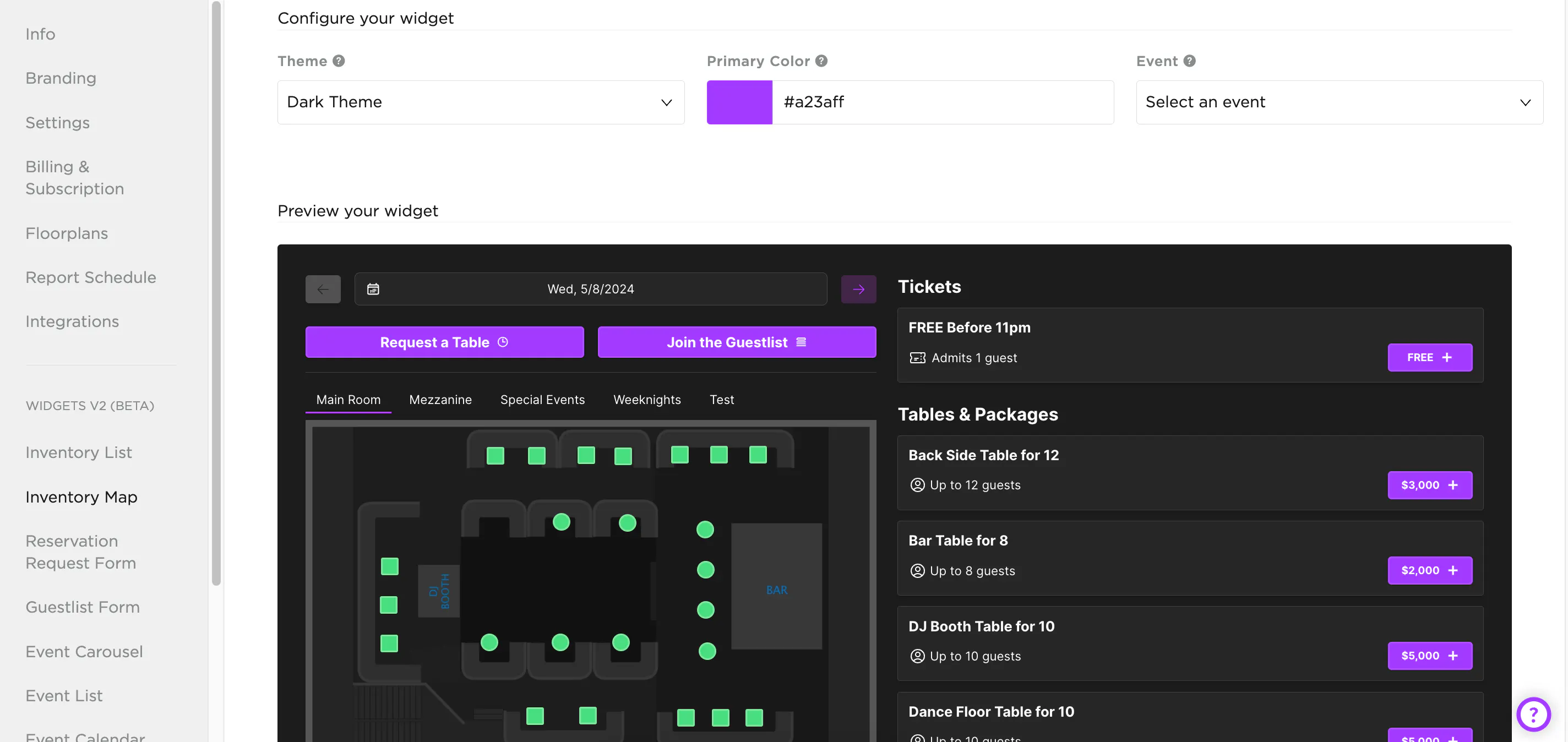
TablelistPro's instant booking widgets let you list events, sell tickets and tables, and accept reservation and guest list requests -- all directly on your own website, in real time.
To build and install a widget, open the sidebar, click Venue, then select a widget type under Widgets.
Pick your theme (light or dark) and primary color (for buttons and links), and you'll see a live preview. You can also tailor the widget to a specific event or date.
To embed it on your site, copy the code under Get your widget code. You'll need to include the TablelistPro JavaScript SDK on your site for it to work.