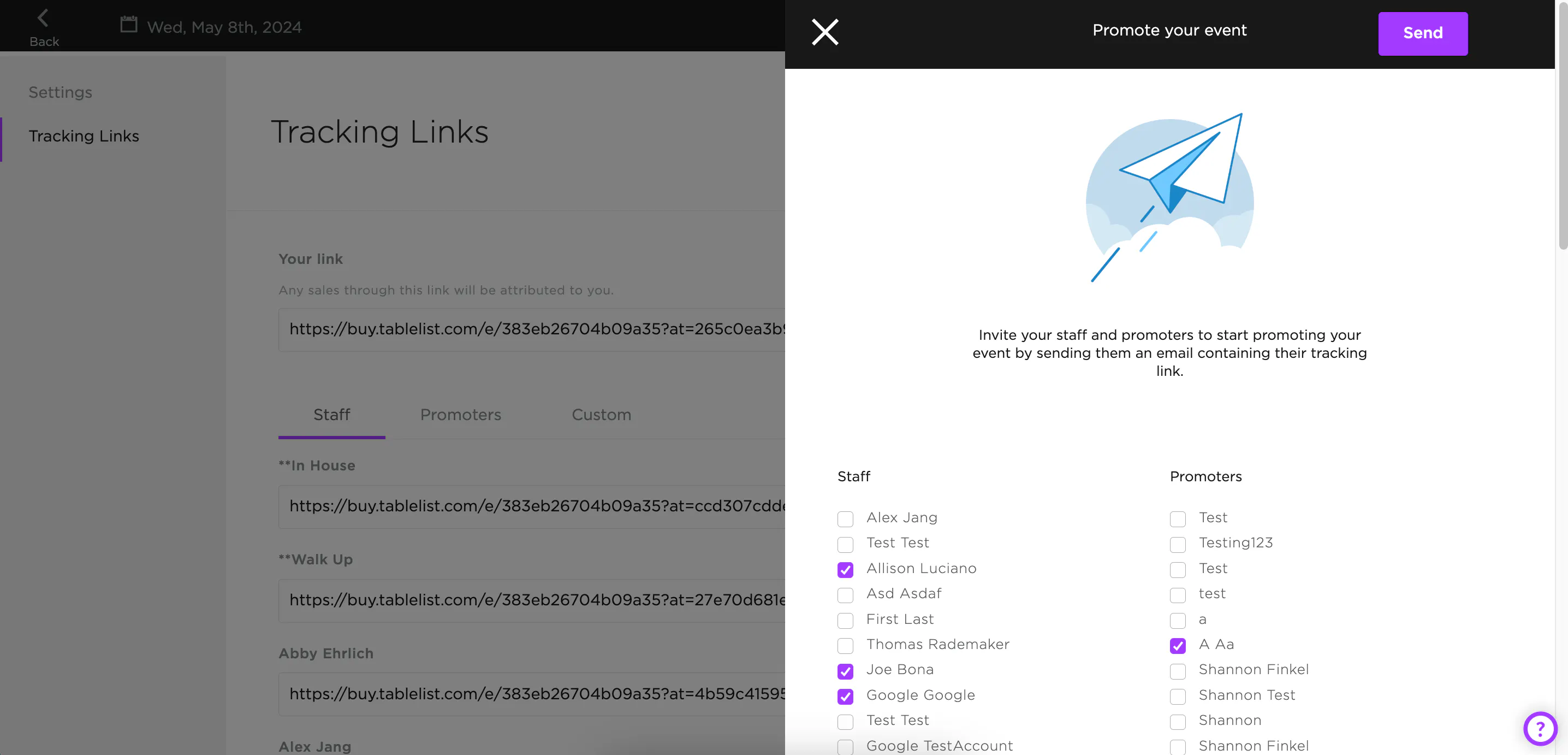
Once your event is live, use tracking links to get the word out and track who's driving bookings.
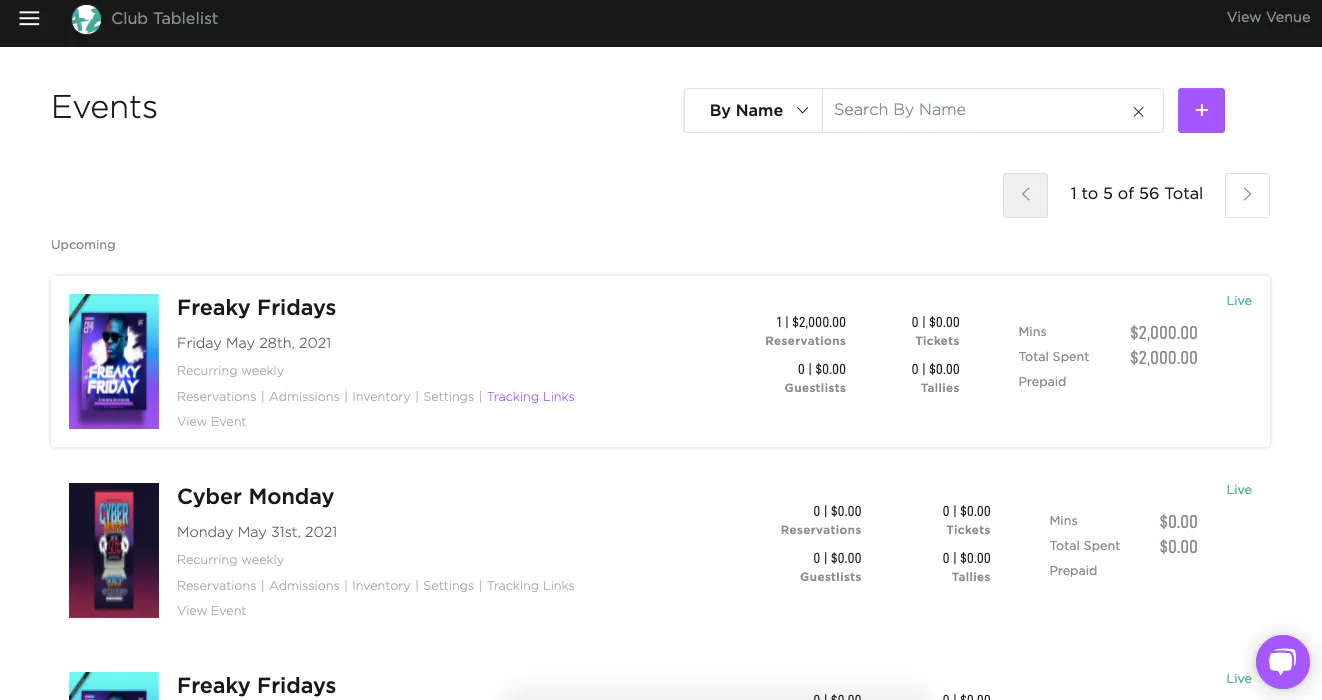
On the web, open the sidebar, click Events, find the event you want to promote, then click Tracking Links beneath it.
You'll see your own event tracking link, plus links for your Staff, Promoters, and Custom Attributions.
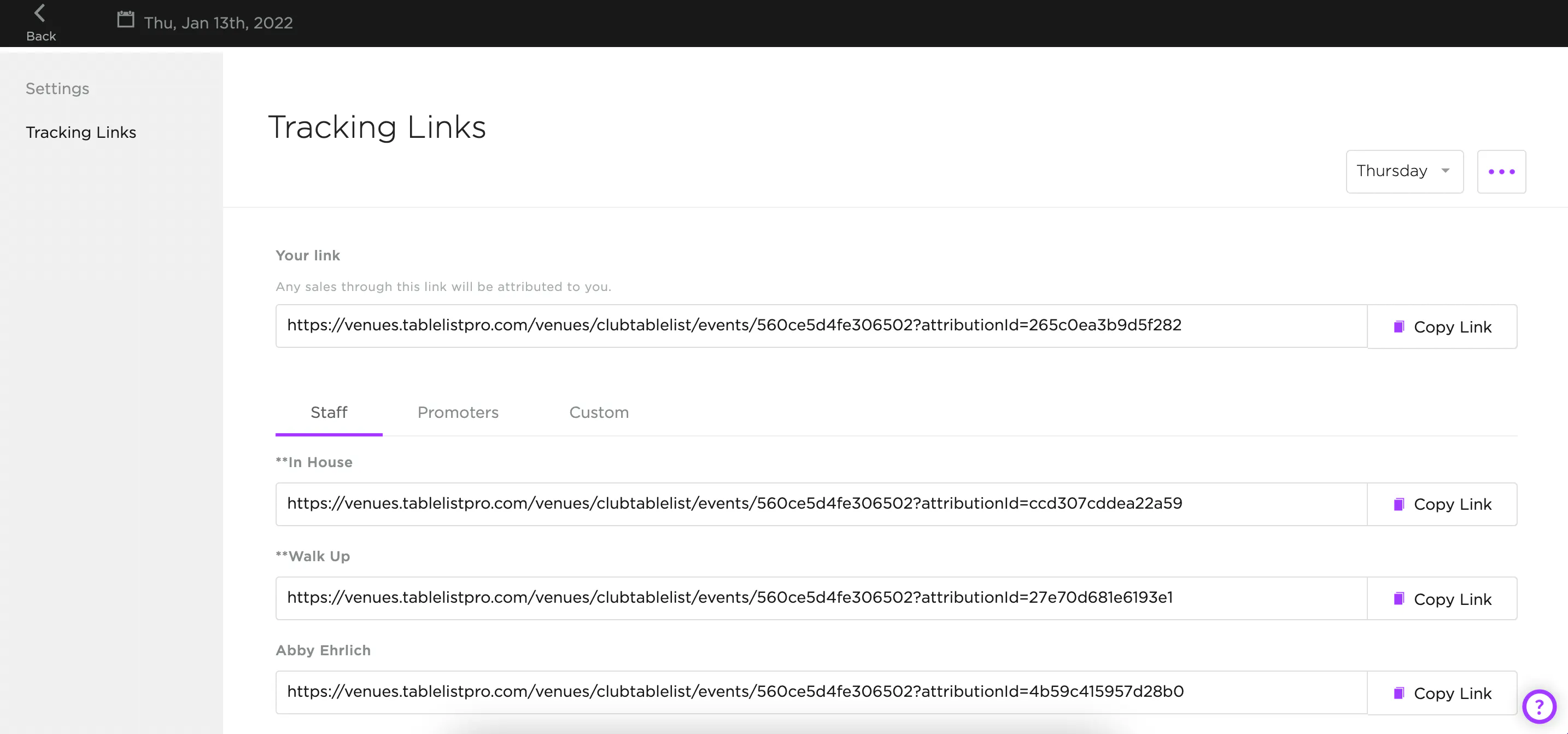
To email tracking links to your team, click the three purple dots in the top right, then click Email Links.
Check off the staff members or promoters you want to send to, add a message under Notes (optional), and press Send.