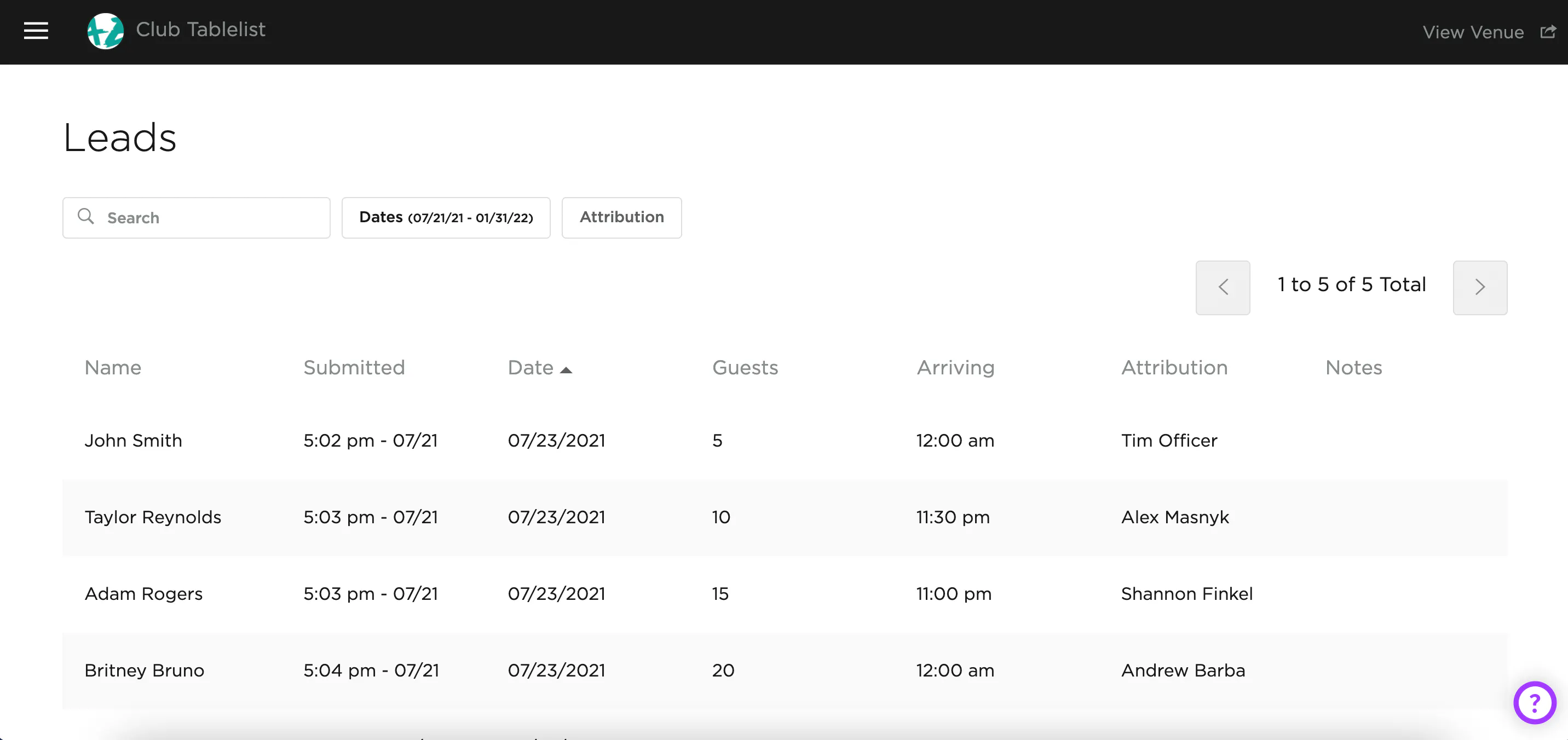
All reservation requests show up as Leads. To view inbound leads on the web, open the sidebar and click the Leads tab.
- Sort leads by name, date submitted, event date, number of guests, arrival time, attribution, and notes
- Search leads, customize date ranges, and filter by attribution
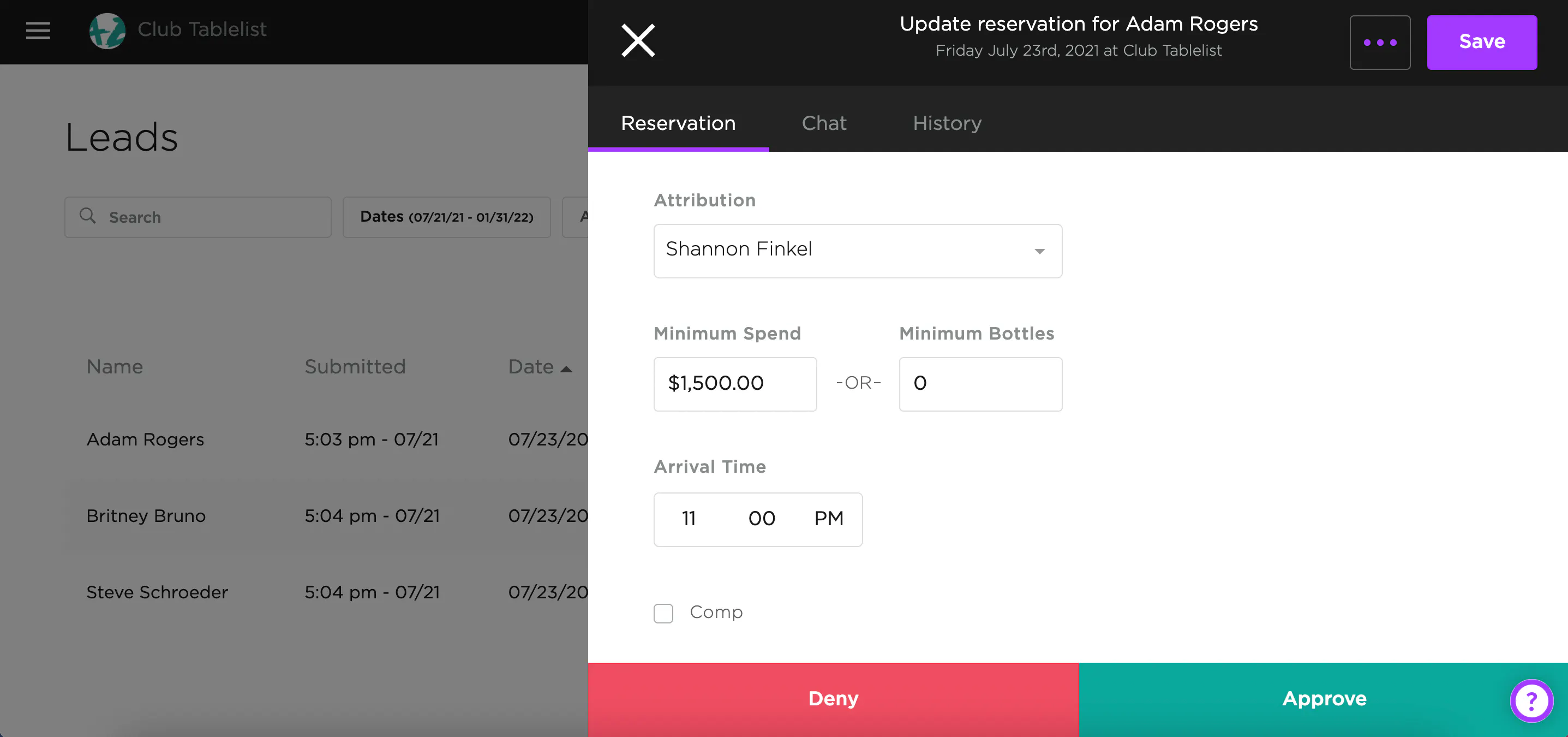
Once you open a lead, you can:
- Approve or deny the request
- Change the attribution, add a minimum, record notes, etc.
- Generate a payment link
- Assign the customer to a VIP table
After you approve or deny, the lead gets removed from the Leads tab.