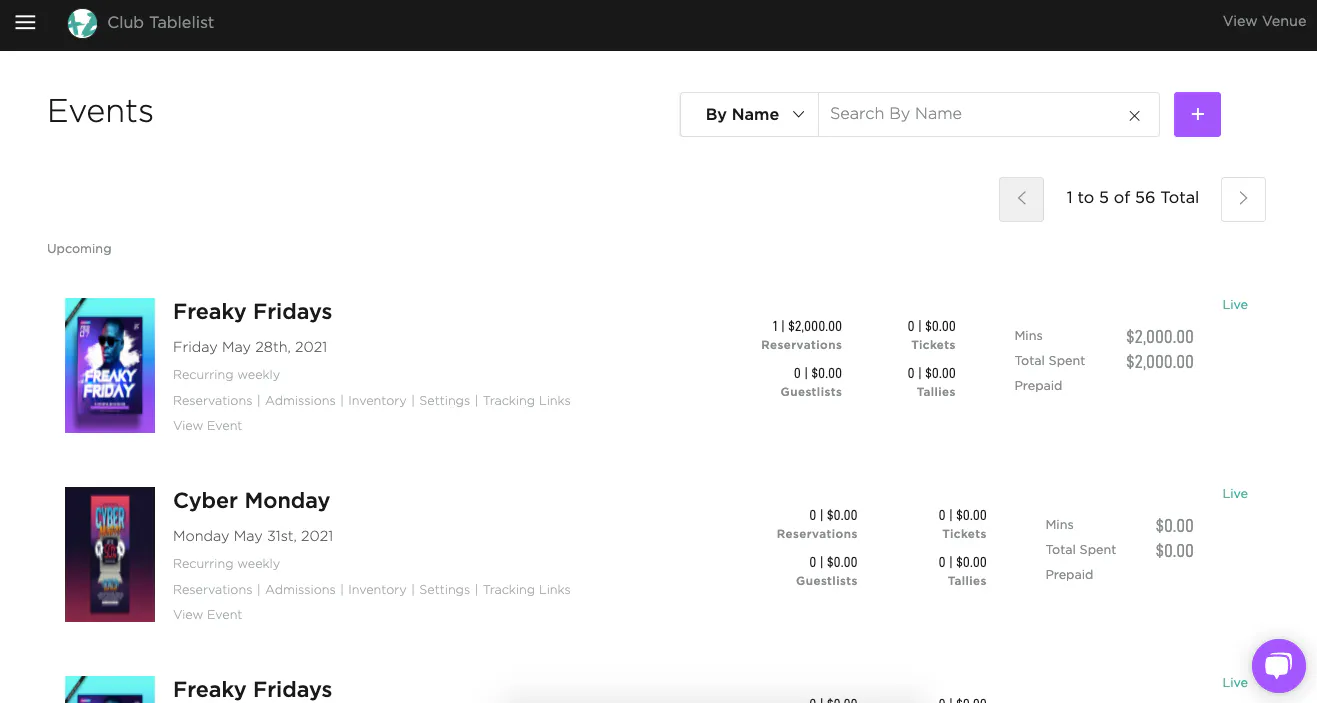
To view your events, open the sidebar and click Events. You'll see a list of upcoming events and their details, and you can search by name or date.
Once an event is created, you can drill into its Reservations, Admissions, Inventory, Settings, and Tracking Links.
You'll also see totals for Reservations, Guest Lists, Tickets, Tallies, Minimums, and Total Spent Prepaid.
To jump to a specific event page, find it in the list and click View Event.