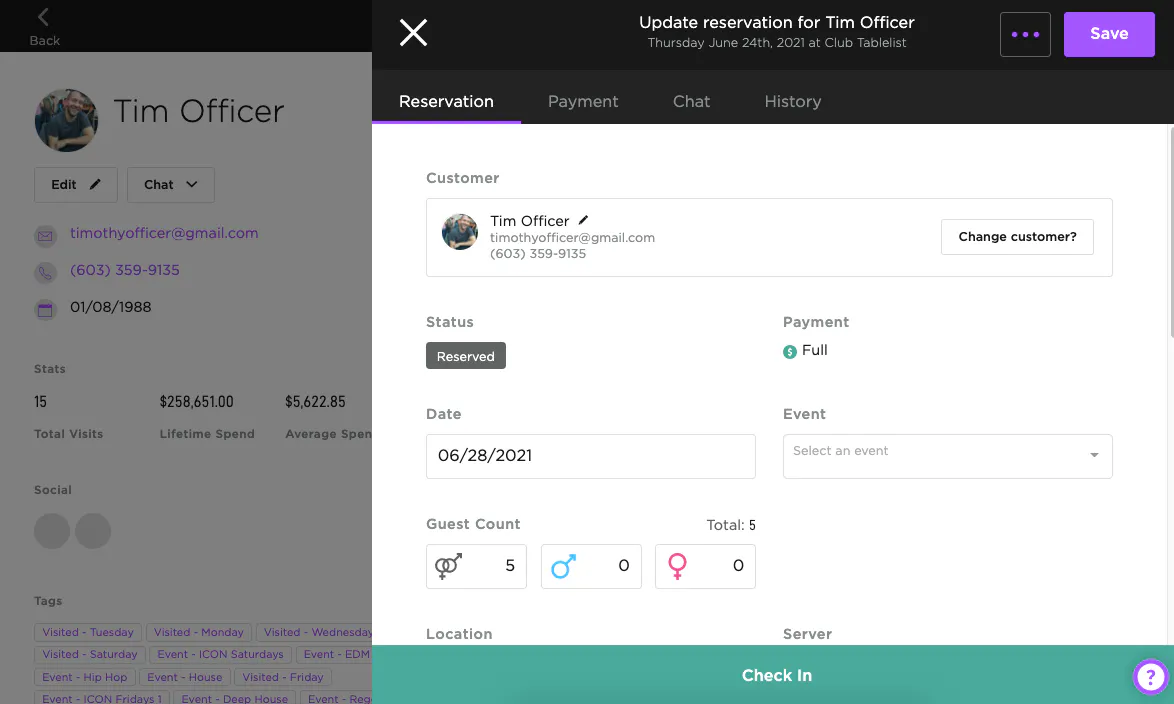
TablelistPro's CRM gives you key customer data to boost retention, improve service, and run targeted marketing campaigns.
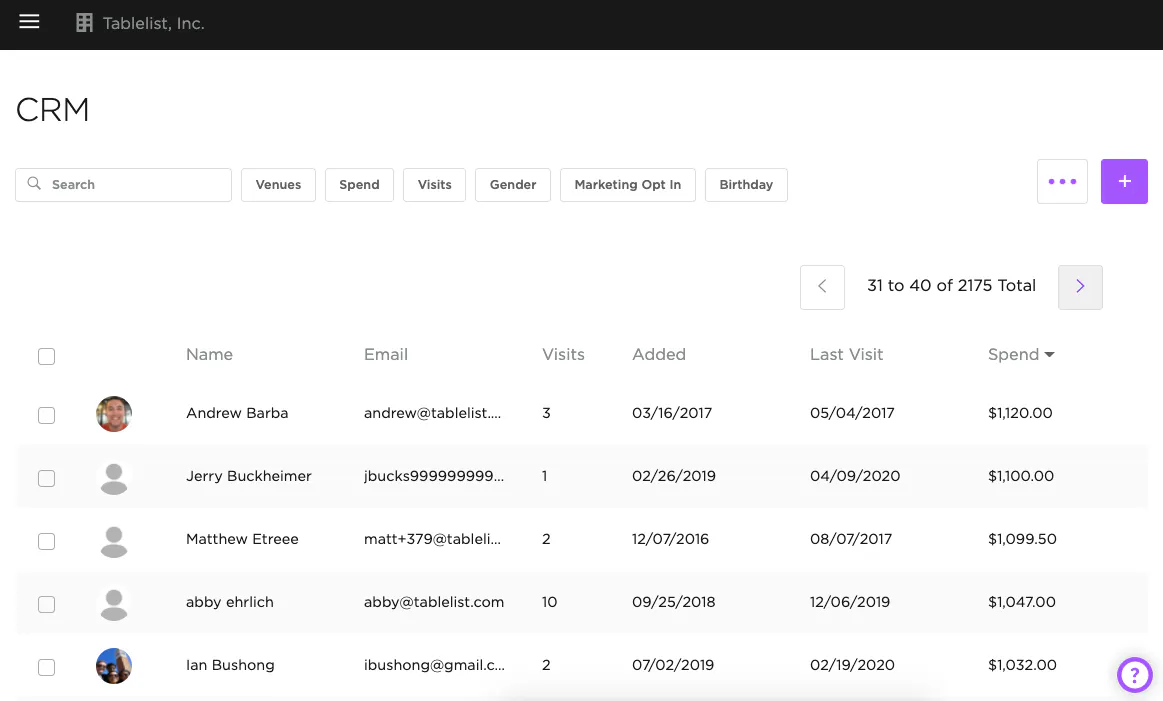
To access it, open the sidebar and click CRM. You'll see every customer's name along with their Email, Total Visits, Date Added, Last Visit, and Total Spend. Search, sort, and filter the list however you need.
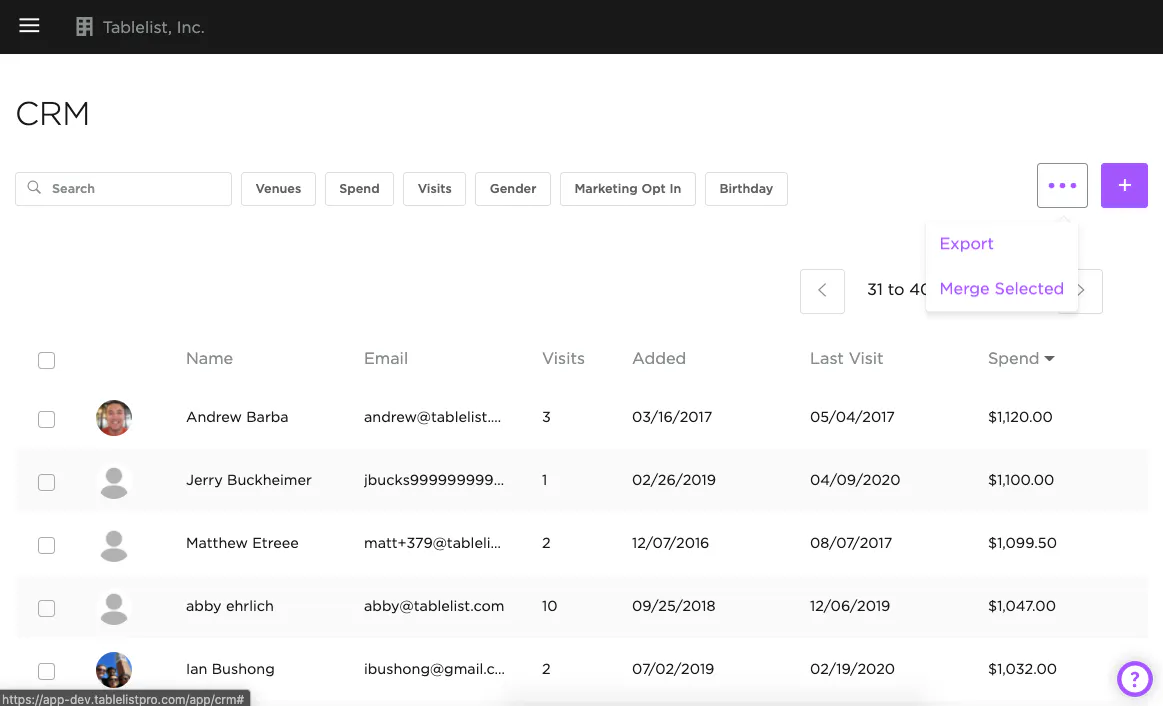
To export a CSV, click the three purple dots on the right and click Export.
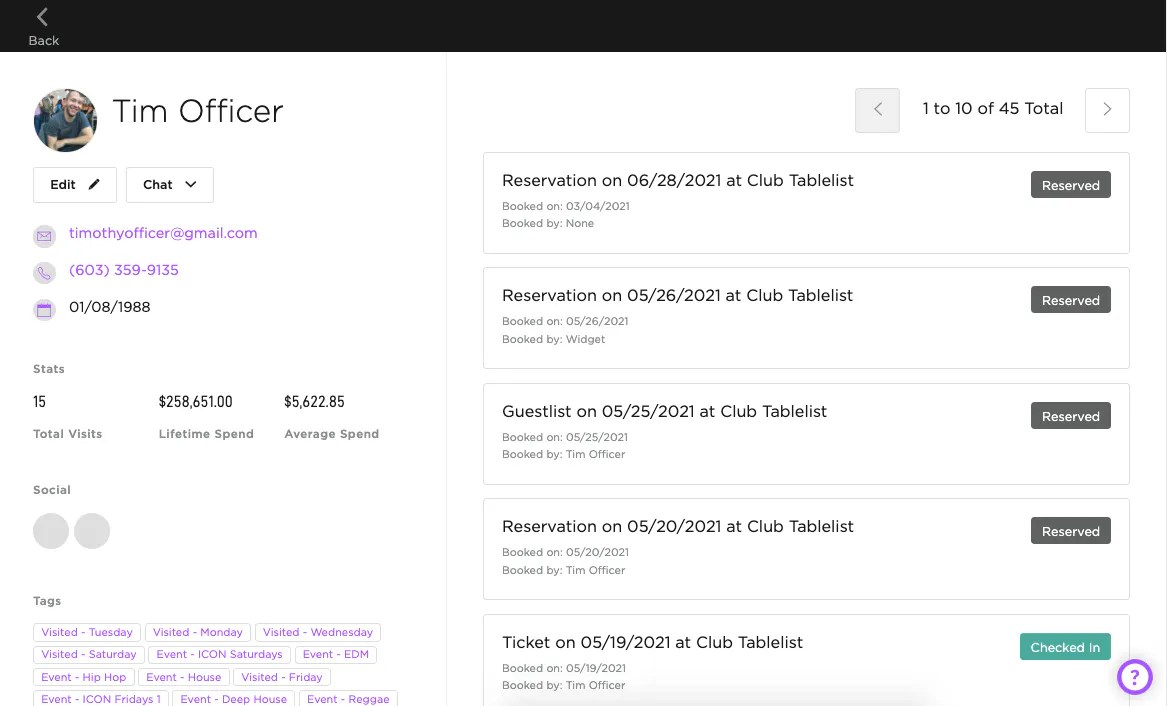
Click a customer's name to view their full profile -- Stats, Birthday, Social Media, Tags, Marketing Opt-Ins, and a complete reservation history.
You can also drill into each reservation within their profile for a closer look.