Want to add ticket or VIP table inventory that's internal and hidden from the public? First, set up the inventory using one of these guides:
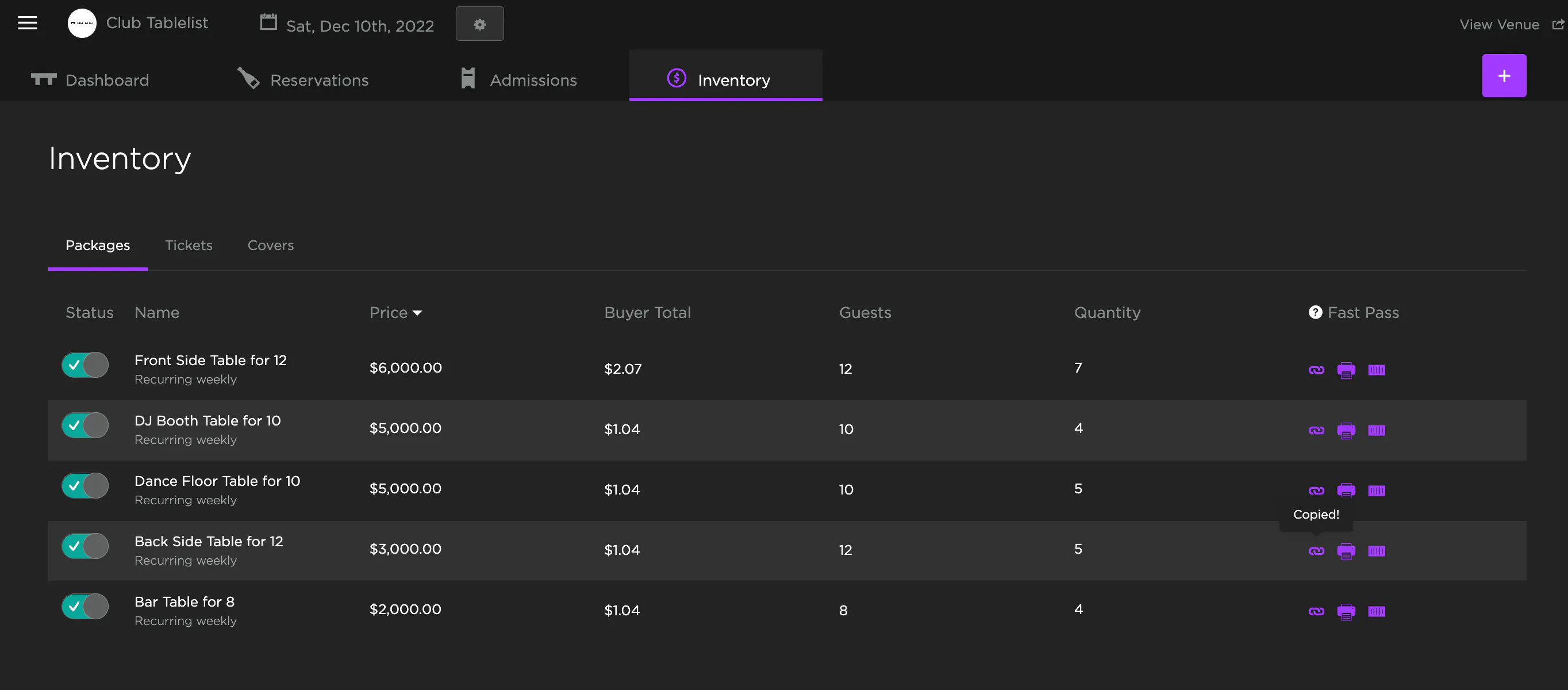
Then, in your Inventory, select the date at the top and click the inventory item you want to make private.
Go to the Advanced tab, toggle on Internal, and press Save.
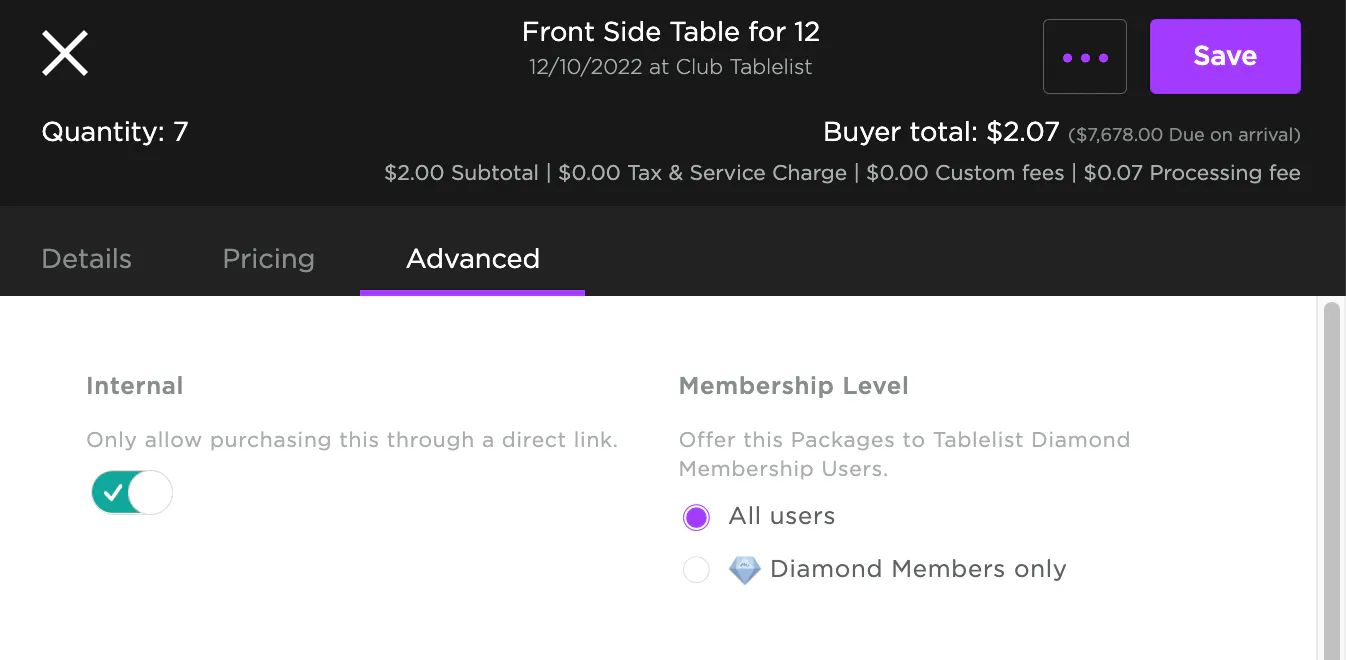
This inventory is now internal -- customers will need a direct link to purchase it.
To send the link, go to your Inventory, select the date, and find the private inventory item. Under Fast Pass on the right, click the copy icon to grab the URL, then send it to your customers. It'll take them straight to a checkout page.