To assign a reservation to a VIP table on the web, open the sidebar, click Manage, then go to the Reservations tab.
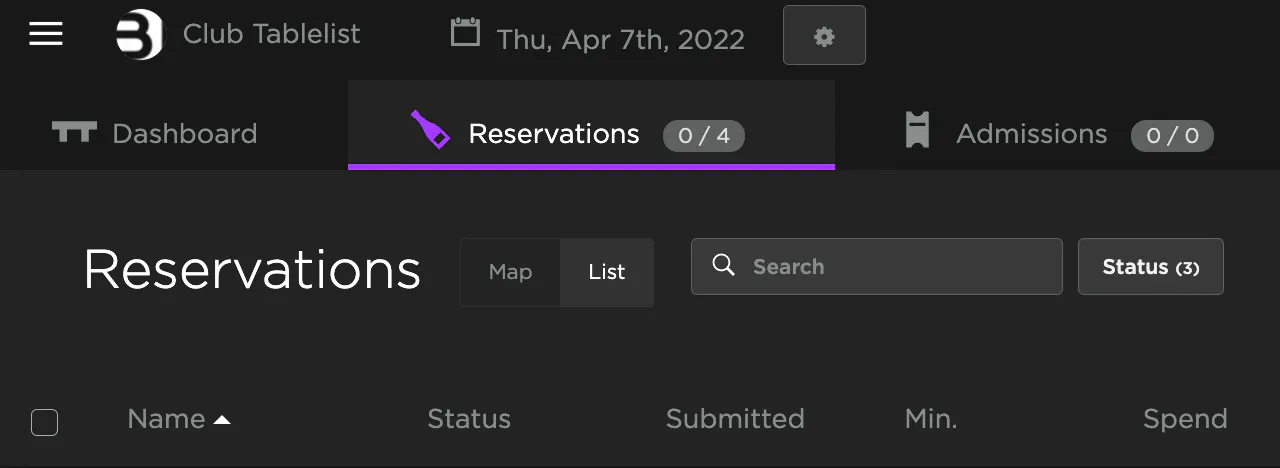
You can assign from either the List view or the Map view -- both are found between the Reservations header and the Search box.
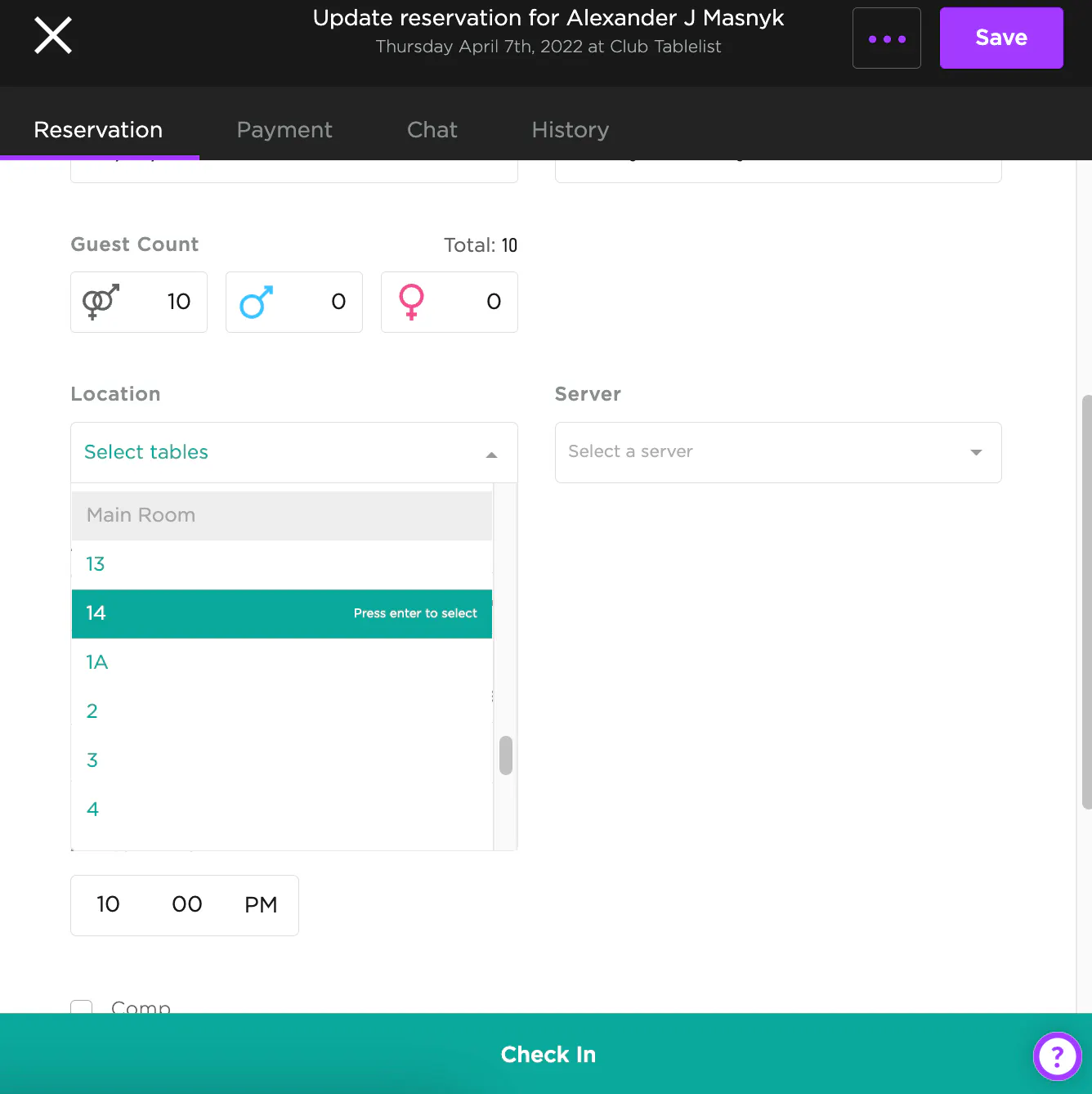
From the List view: Click the reservation, find Location, press Select Tables, pick the table, then press Save. For multiple tables, select them all from the dropdown.
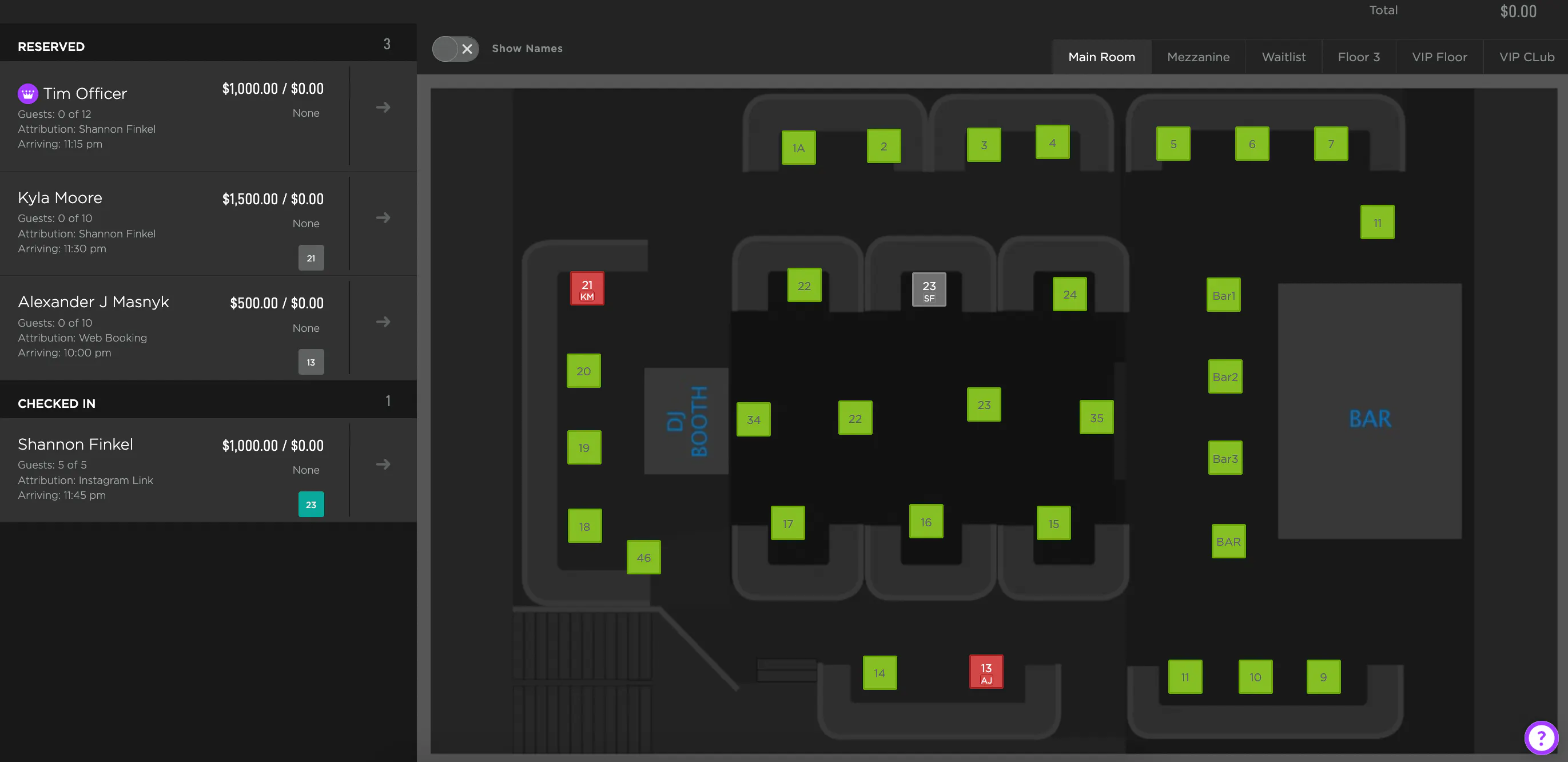
From the Map view: Drag the reservation onto the table. For multiple tables, drag and drop onto each one.
Once assigned, the table turns red. Green = available, gray = checked in.
Need to move someone? Click the reservation, select the correct table under Location, and press the white "X" to remove the wrong one.