Our support team typically sets up VIP table inventory on your behalf to avoid errors. Reach out to us and we'll get it sorted.
Before you start, have this info ready:
- Inventory name (e.g., VIP Table for 10)
- Number of guests
- Description
- Example: This table package includes complimentary admission for the stated number of guests. Price represents the beverage minimum. Must spend at least this much on alcohol (before tax/tip). Deposit you pay in advance will apply to the minimum. All events are 21+. No alcohol permitted on premises other than that served by the licensed vendors of this event. Entry is per doorman's discretion. No-shows will be charged in full and will not receive a refund. The latest arrival time for parties with table reservations is 12AM sharp unless prior arrangements are made. Any tables that do not arrive by 12AM will be resold to any waiting parties and will be charged per the venue's discretion.
- Price
- State tax %, service charge %
- Payment type (pick one)
- Full payment
- Prepaid deposit
- If using this, specify the amount
- Authorization
- No payment
- Arrival start and end times
VIP Tables are referred to as Packages on the TablelistPro dashboard.
To start selling packages, open the sidebar, click Manage, then click Inventory.
Click the Packages tab.
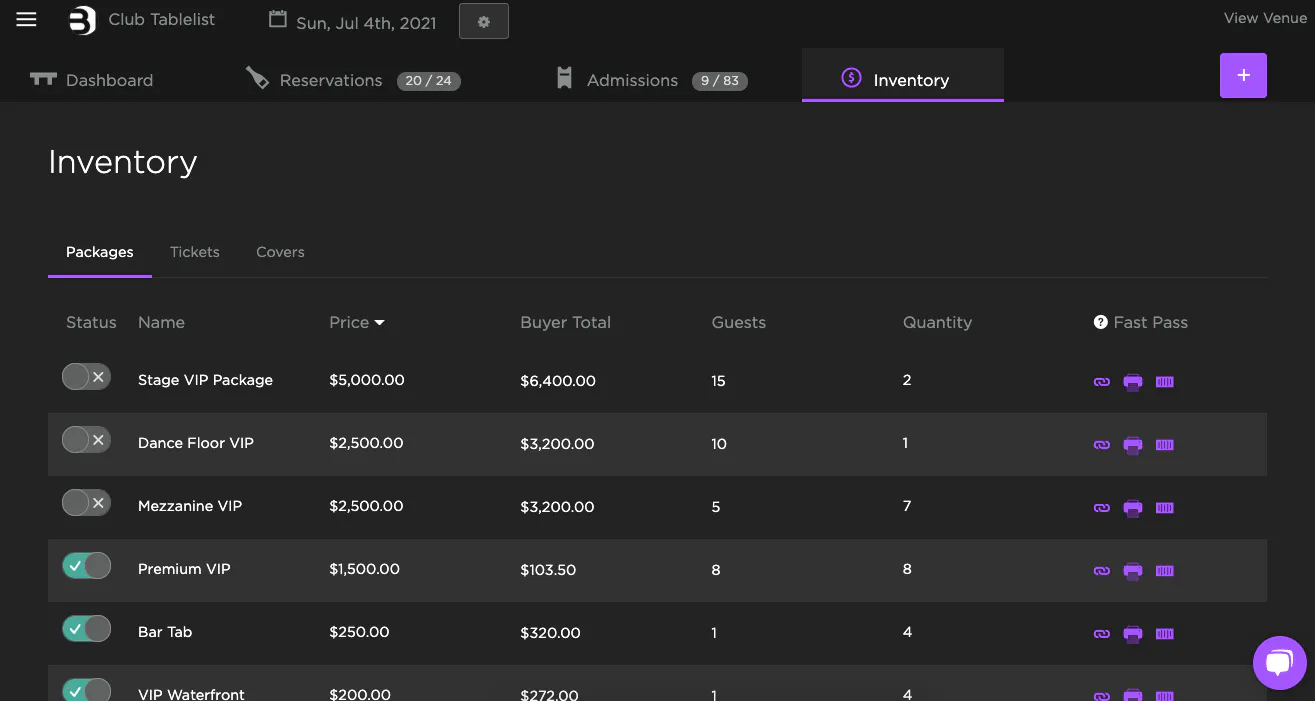
Select the date at the top, then click the purple plus sign on the right.
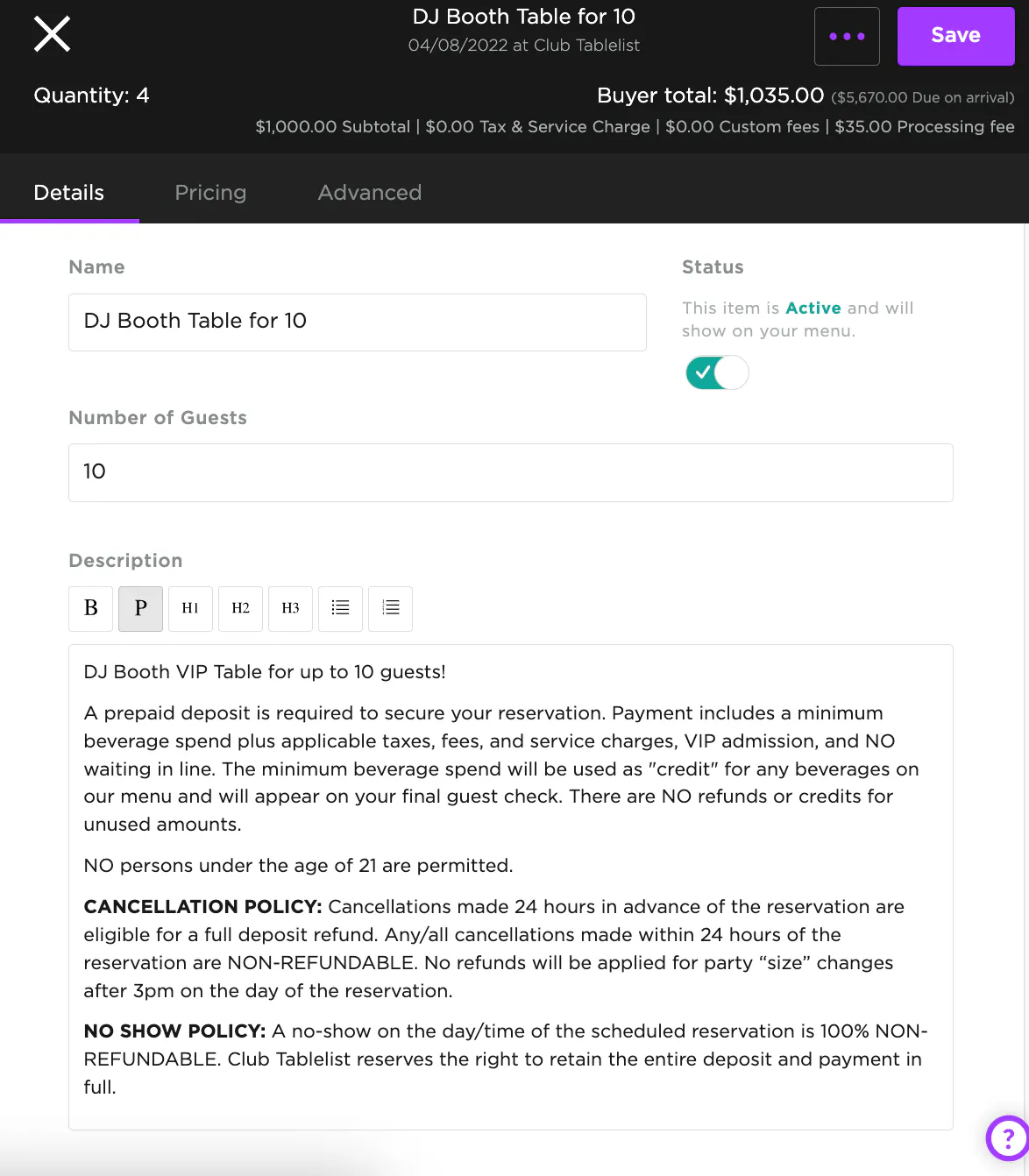
Under Details, fill in the inventory name (e.g., VIP Table for 10), number of guests, and description.
For the Description, include everything the customer needs to know: beverage minimums, taxes and fees, cancellation policy, no-show policy, and age limits.
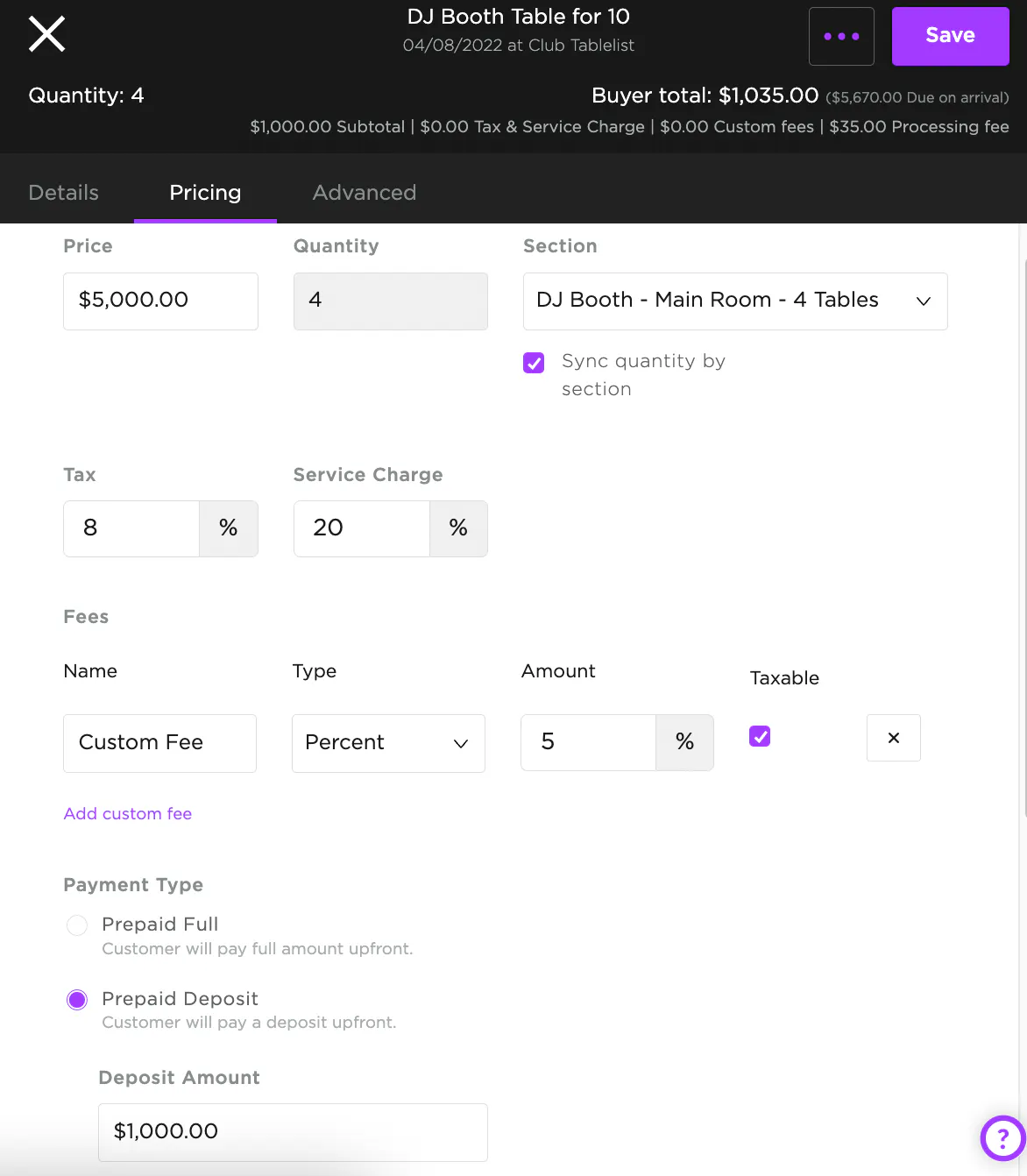
On the Pricing tab, fill in price, quantity, tax %, service charge %, fees, payment type, and processing fee.
To sync inventory to the floor plan (which auto-assigns a VIP table to the customer on purchase), select the correct Section and check Sync quantity by section.
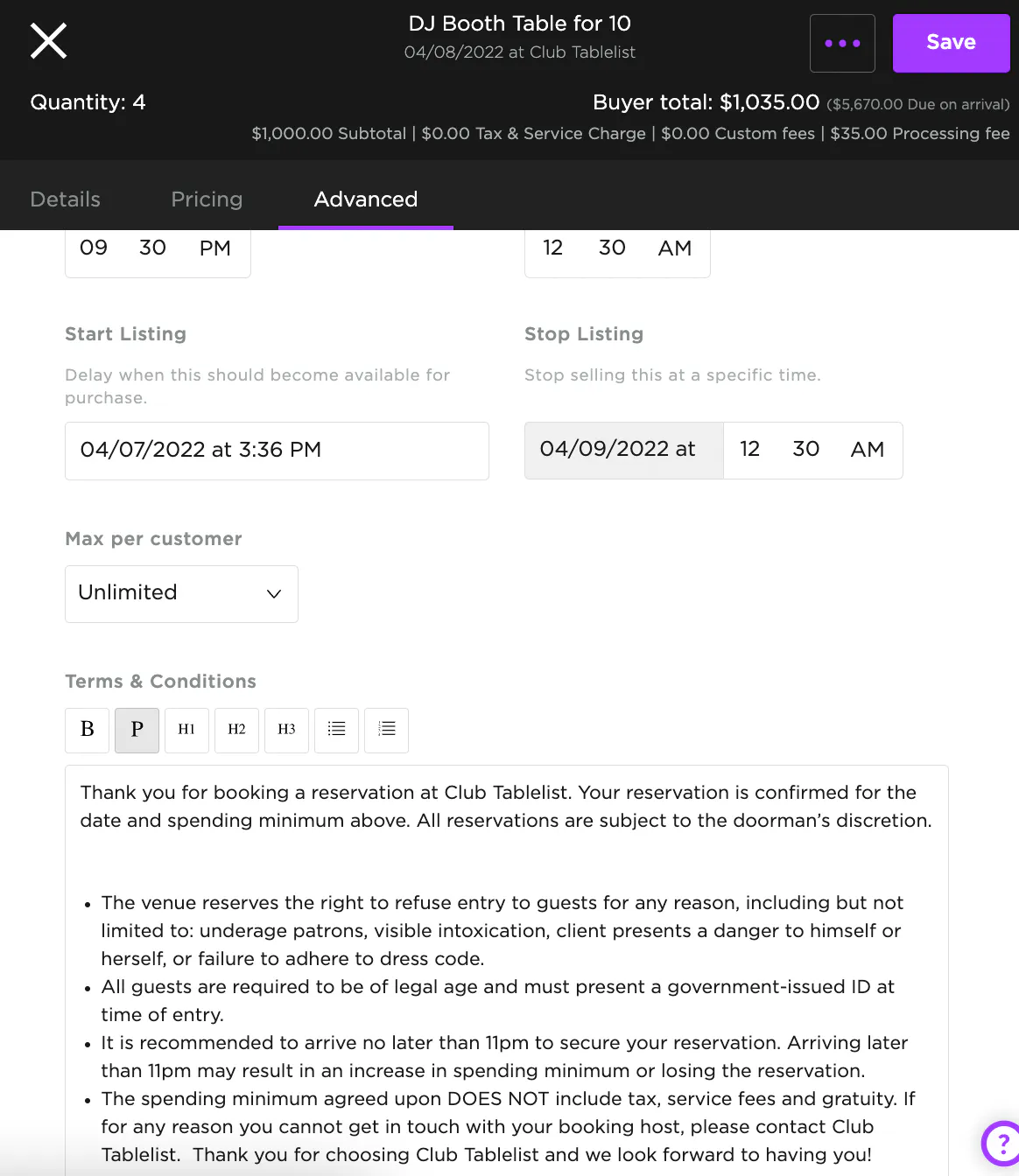
On the Advanced tab, set the frequency (single vs. recurring), arrival start/end times, and terms & conditions.
When everything's set, hit Save.